Technology Blog

Mobile Threat Defense: Protecting Smartphones in Real Time

Source:https://cybertechconnection.com

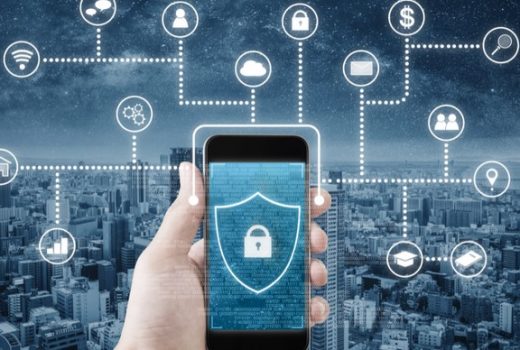
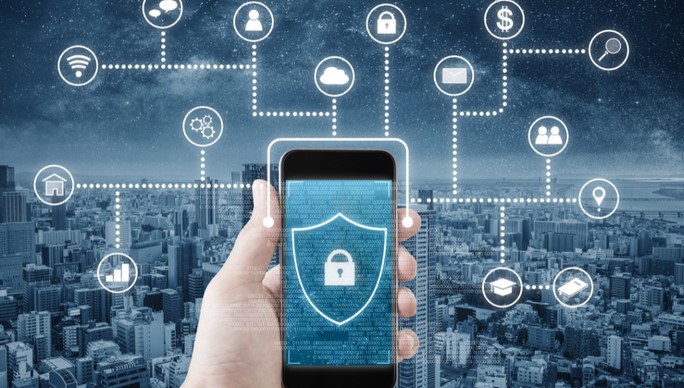
In a world where smartphones serve as digital wallets, workstations, and personal communication hubs, mobile threat defense has become a critical component of modern cybersecurity strategies. Mobile devices now store sensitive personal data, corporate credentials, and access to cloud services, making them attractive targets for cybercriminals. This article introduces the concept of real-time mobile threat defense, explains the evolving threat landscape, and outlines how individuals and organizations can protect smartphones against increasingly sophisticated attacks.

1. The Expanding Mobile Threat Landscape

Smartphones were once considered relatively secure compared to traditional computers, but that assumption no longer holds true. As mobile operating systems have grown more powerful and connected, attackers have followed closely behind. Modern mobile threats extend far beyond simple malware infections and now include phishing attacks, malicious applications, network-based exploits, and operating system vulnerabilities.

One of the most common attack vectors is social engineering. Fraudulent messages, emails, and fake notifications are designed to trick users into revealing credentials or installing malicious software. Because smartphones are used frequently and often on the go, users may act quickly without scrutinizing links or permissions.

Another growing risk is insecure network usage. Public Wi-Fi networks, while convenient, can expose devices to man-in-the-middle attacks and data interception. Attackers can exploit unencrypted connections to steal sensitive information or inject malicious content. Additionally, compromised or poorly designed mobile applications may leak data or introduce hidden vulnerabilities.

For businesses, the rise of bring-your-own-device (BYOD) policies has further complicated the threat landscape. Personal devices accessing corporate systems blur the boundaries between private and professional data, increasing the risk of unauthorized access and data leakage. These factors highlight the need for proactive and continuous mobile security measures.

2. Core Principles of Mobile Threat Defense

Mobile threat defense solutions are designed to identify, prevent, and respond to threats in real time. Unlike traditional security tools that rely solely on known signatures, modern mobile security approaches focus on behavior analysis and contextual awareness.

Real-Time Detection and Response

Real-time monitoring is a defining characteristic of effective mobile security. By continuously analyzing device behavior, network activity, and application interactions, threat defense systems can identify suspicious patterns as they occur. This enables immediate action, such as blocking a malicious connection, alerting the user, or isolating a compromised application.

Machine learning and artificial intelligence play a significant role in this process. These technologies allow security systems to adapt to new threats by recognizing anomalies rather than relying only on previously identified malware. As a result, even zero-day attacks can be detected before they cause significant damage.

One Subheading: Device, Network, and Application Protection

Comprehensive mobile threat defense addresses risks across three primary domains. Device-level protection focuses on operating system integrity, detecting rooting or jailbreaking attempts, and identifying unauthorized configuration changes. Network-level protection monitors connections to identify unsafe Wi-Fi networks, phishing domains, or suspicious traffic patterns.

Application-level protection examines the behavior and permissions of installed apps. By analyzing how apps access data, communicate externally, and interact with system resources, security tools can flag potentially harmful applications—even if they appear legitimate on the surface. Together, these layers form a holistic defense strategy that adapts to changing conditions in real time.

3. Benefits for Individuals and Organizations

The value of mobile threat defense extends beyond simple malware prevention. For individual users, it provides peace of mind by safeguarding personal information such as financial data, messages, and digital identities. Alerts and guidance help users make safer decisions, such as avoiding risky networks or removing suspicious apps.

For organizations, mobile security is essential for protecting intellectual property and maintaining regulatory compliance. Real-time threat defense reduces the risk of data breaches, which can result in financial loss, legal consequences, and reputational damage. Integration with enterprise mobility management systems allows businesses to enforce security policies without compromising user productivity.

Another significant benefit is visibility. Mobile threat defense solutions provide insights into device health, threat trends, and user behavior. This information helps security teams identify systemic weaknesses and improve overall security posture. Over time, these insights support more informed decision-making and better risk management.

As mobile technology continues to evolve, so will the threats targeting it. The growing use of mobile payments, biometric authentication, and connected devices increases both the value of smartphones and the potential impact of successful attacks. Proactive security measures are therefore not optional but essential.

In an era where smartphones are central to both personal and professional life, mobile threat defense plays a vital role in protecting digital assets in real time. By combining continuous monitoring, intelligent threat detection, and multi-layered protection, modern mobile security solutions address the unique risks faced by mobile devices. As threats become more advanced and pervasive, investing in effective mobile threat defense is key to ensuring safe, resilient, and trustworthy smartphone usage in an increasingly connected world.

Mobile Device Security: Protecting Phones from Cyber Threats

Source:https://www.nccoe.nist.gov

In today’s hyper-connected world, mobile phones have become an essential part of daily life. From personal communications to online banking and business operations, these devices store an enormous amount of sensitive data. However, as smartphones and tablets become more integrated into our lives, they also become prime targets for cybercriminals. Mobile device security is crucial to safeguarding personal information from malicious threats, including viruses, malware, data breaches, and phishing attacks. In this article, we’ll explore the importance of securing your mobile device, the types of threats you face, and actionable strategies to enhance mobile device security in the modern digital landscape.

The Growing Threat to Mobile Devices

Mobile devices are increasingly becoming the primary means of communication, banking, shopping, and accessing sensitive information. While this connectivity brings convenience, it also opens the door to a variety of cyber threats. Hackers and cybercriminals are aware that mobile phones are often less protected than traditional computers, making them prime targets for exploitation.

As of 2026, mobile phones have become a vital part of business operations and personal data management, and any compromise can have severe consequences. From stolen financial data to unauthorized access to private messages and emails, cybercriminals are always looking for new ways to infiltrate mobile devices. This makes mobile device security not just a consideration, but a necessity in today’s digital environment.

Types of Cyber Threats Targeting Mobile Devices

Understanding the types of threats targeting mobile devices can help you take the right steps to protect your phone. Here are some of the most common threats to mobile device security:

  • Malware: Mobile malware includes viruses, spyware, and ransomware that can infect your device through apps, websites, or phishing emails. These malicious programs often collect personal data or encrypt files and demand payment to release them.
  • Phishing Attacks: Cybercriminals often use SMS, email, or social media messages that appear legitimate to trick users into sharing sensitive information such as passwords or bank details. These phishing attempts often involve fake websites or apps designed to look like official platforms.
  • Man-in-the-Middle (MitM) Attacks: In these attacks, cybercriminals intercept the communication between two parties, such as when you access an unsecured Wi-Fi network. They can capture sensitive data like passwords, credit card details, or other personal information.
  • App Vulnerabilities: Many apps, especially from third-party sources, may not be secure. Malicious apps can track your movements, steal data, or allow hackers to gain control of your device.
  • Physical Theft: If your phone is stolen or lost, it can expose all of your personal data if it’s not properly secured. Cybercriminals can easily access sensitive files, emails, and accounts if you don’t have strong security measures in place.

With these threats in mind, it’s clear that mobile device security is not just about keeping your phone free of viruses but also about ensuring your data is safe from potential breaches, whether they occur over the internet, via physical theft, or through social engineering.

Best Practices for Enhancing Mobile Device Security

Securing your mobile device requires a combination of good habits, protective software, and cautious behavior. Below are several steps you can take to safeguard your smartphone or tablet from cyber threats:

1. Use Strong, Unique Passwords and Biometrics

One of the most basic yet effective ways to secure your mobile device is to use strong, unique passwords. Avoid using easily guessable passwords like “123456” or your birthdate. Instead, opt for long and complex passwords that combine uppercase and lowercase letters, numbers, and special characters.

Many modern smartphones also offer biometric authentication, such as fingerprint recognition or facial recognition, which adds an extra layer of security. These methods are often more secure than traditional PIN codes or passwords because they are difficult to replicate or hack.

2. Keep Software Up-to-Date

Regular software updates are essential for maintaining the security of your mobile device. Smartphone manufacturers frequently release security patches and software updates that address vulnerabilities in the operating system or apps. Always install the latest updates as soon as they become available, as they can protect your phone from newly discovered threats.

This includes both the mobile operating system (iOS or Android) and any installed apps. Many apps automatically update, but it’s important to manually check for updates as well, especially for apps that handle sensitive data.

3. Install Security Software and Use Built-in Security Features

Mobile security software, such as antivirus apps, can help protect your phone from malware and viruses. These apps offer real-time protection, scanning downloaded files and apps for malicious activity. Look for reputable mobile security apps that are specifically designed for your device’s operating system.

Both Android and iOS devices have built-in security features that you should enable. For example, enable “Find My iPhone” or “Find My Device” to track your phone in case it is lost or stolen. You can also enable remote wipe features, which allow you to erase all data from your device remotely to prevent unauthorized access.

4. Be Cautious with Apps and Permissions

Before installing any app, make sure you download it from a reputable source, such as the Apple App Store or Google Play Store. Third-party app stores can be rife with malicious apps designed to exploit your phone’s vulnerabilities.

Also, pay attention to the permissions requested by each app. Some apps request access to your contacts, camera, microphone, and location when they don’t necessarily need it. Only grant permissions that are relevant to the app’s functionality. If an app is requesting permissions that seem excessive or unrelated to its purpose, consider whether it’s worth installing.

5. Use Secure Wi-Fi Networks and VPNs

When using public Wi-Fi networks, such as those in cafes or airports, always be aware of the risks of Man-in-the-Middle (MitM) attacks. These networks are often unencrypted, meaning hackers can easily intercept your data. If you must use public Wi-Fi, always use a Virtual Private Network (VPN) to encrypt your internet traffic. A VPN protects your data from being intercepted and ensures that your online activities remain private.

Whenever possible, use secure Wi-Fi networks, especially when accessing sensitive information like online banking or email. Avoid logging into important accounts while on unsecured networks.

6. Enable Two-Factor Authentication (2FA)

Two-factor authentication (2FA) adds an additional layer of protection when logging into your accounts. In addition to entering your password, 2FA requires you to verify your identity with something you have, such as a code sent to your phone or an authentication app. Enabling 2FA on your mobile device for services like email, banking, and social media significantly reduces the likelihood of unauthorized access.

7. Backup Your Data Regularly

In case your phone is lost, stolen, or compromised, it’s crucial to back up your data regularly. Both iOS and Android devices offer cloud-based backup services, ensuring that your contacts, photos, and other essential data are stored safely. Regular backups can help you recover your data if something goes wrong.

In conclusion, mobile device security is a critical aspect of personal and business cybersecurity in the modern world. With the increasing sophistication of cyber threats, it’s essential to take proactive steps to protect your mobile devices from potential risks. By using strong passwords, keeping your device up to date, installing reputable security software, and practicing good digital hygiene, you can significantly reduce the risk of cyber threats.

As mobile devices continue to play a pivotal role in our daily lives, securing them from malware, phishing, and other attacks should be a priority. With the right precautions and awareness, you can enjoy the convenience of your smartphone while minimizing the dangers posed by cybercriminals.

Phishing Scams Examples and How to Spot Them

Source:https://www.webroot.com

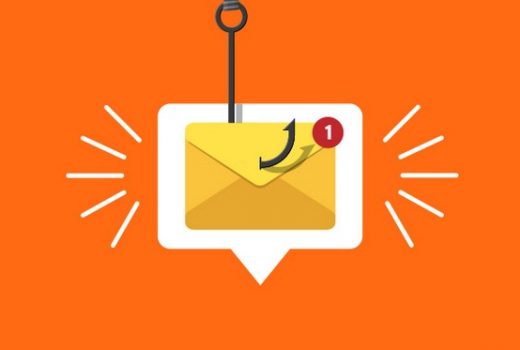
In today’s digital world, phishing scams have become one of the most common methods used by cybercriminals to steal sensitive information from individuals and businesses. Phishing scams examples often involve deceptive emails, fake websites, and fraudulent communication that appear legitimate, tricking recipients into revealing personal data such as login credentials, financial details, or other sensitive information. Understanding how phishing works and being able to identify common scams is essential for protecting yourself and your digital assets. This article will provide several examples of phishing scams and offer practical tips on how to spot them before it’s too late.

Understanding Phishing Scams

Phishing is a type of cyber attack in which a malicious actor impersonates a trusted entity—such as a bank, government agency, or a well-known company—in order to trick the victim into revealing personal information. The scam is usually carried out via email, text messages, social media, or even phone calls. The attacker might ask for sensitive details like passwords, credit card numbers, or social security numbers under the guise of legitimate communication.

The Methods Used in Phishing Scams

Phishing scams come in many forms, but the core tactic remains the same: deceiving the target into disclosing confidential information. Common methods used by cybercriminals include:

  • Fake Emails: These are typically designed to look like they come from trusted sources, such as banks or tech companies. The email may include a sense of urgency, urging the recipient to act quickly.
  • Malicious Links: Phishing emails often contain links that appear legitimate, but they lead to fake websites designed to capture your login credentials or personal information.
  • Impersonating Authorities: Some phishing scams involve impersonating government agencies or service providers, claiming you owe money or need to verify your identity.

Being able to identify these threats and knowing how to avoid falling victim to them is crucial to protecting your personal and financial information.

Phishing Scams Examples: Real-Life Cases

To understand how phishing scams operate in the real world, it helps to look at some phishing scams examples that have targeted individuals and businesses. Here are a few notable cases:

1. The Fake Bank Email Scam

One of the most common phishing scams involves cybercriminals pretending to be your bank or financial institution. In this scam, you may receive an email that looks like an official message from your bank. It may claim that there is an issue with your account, such as a “suspicious login attempt” or a “system update,” and ask you to click on a link to verify your account information.

These emails often appear very legitimate, with official logos, and use familiar phrases like “We value your security” or “Immediate action required.” However, the link in the email leads to a fake website that mimics the bank’s actual login page. Once you enter your credentials, the attackers can steal them and gain access to your bank account.

How to Spot It:

  • Look for any inconsistencies in the email, such as a suspicious sender email address (e.g., “support@yourbank.xyz” instead of “support@yourbank.com“).
  • Avoid clicking on links in unsolicited emails. Instead, manually type the URL of your bank’s website into your browser.
  • Be cautious of urgent language or threats, such as “Immediate action required” or “Account suspended.”

2. The “IRS Tax Refund” Phishing Scam

Another well-known example of phishing is the “IRS tax refund” scam. During tax season, scammers will often send fake emails or text messages that appear to come from the IRS. These messages usually claim that you are entitled to a tax refund and ask you to click on a link to “claim your refund” or “verify your information.”

The link leads to a fraudulent website designed to steal your personal information, including your social security number, bank details, and credit card information. Sometimes, scammers will even try to pressure you into giving them money by claiming that you owe taxes and need to make an immediate payment.

How to Spot It:

  • The IRS will never contact you via email or text message to request personal information or payment.
  • Always check the sender’s email address or phone number to confirm its legitimacy.
  • Be wary of unsolicited communication that requires you to take immediate action.

3. The Tech Support Scam

Tech support phishing scams often target less tech-savvy individuals. In this scam, the attacker may call or send an email pretending to be from a well-known company like Microsoft or Apple, claiming that your computer has a virus or other critical issue. The scammer will then direct you to download remote desktop software or give them access to your device, allowing them to steal personal information, install malware, or demand payment for fake services.

How to Spot It:

  • Tech companies will never call you unsolicited to offer tech support.
  • Never provide remote access to your computer unless you are certain the person on the other end is legitimate.
  • If you receive a call or email claiming there’s an issue with your system, hang up and contact the company directly using official contact details.

How to Spot Phishing Scams

While phishing scams are becoming more sophisticated, there are still several telltale signs that can help you identify a fraudulent message or website. Here are some practical tips for spotting phishing attempts:

1. Examine the Email Address and URL

The sender’s email address or the URL of a link is often the first giveaway. Look closely for subtle misspellings or inconsistencies. For example, a bank’s legitimate email address may be “customer.service@bankname.com,” but a phishing email might come from something like “bankservice@secure-online-banking.com.”

Also, check the URL carefully. Legitimate websites use HTTPS, which you can confirm by looking for a padlock icon next to the URL in your browser’s address bar. Phishing sites, on the other hand, may use “http://” or a misspelled version of the official website name.

2. Look for Grammar and Spelling Mistakes

Phishing emails often contain grammatical errors, awkward phrasing, or spelling mistakes. These are clues that the email may not be from a legitimate source. Professional organizations usually ensure their communications are well-written and free of errors.

3. Watch for Urgent or Threatening Language

Phishing emails often create a sense of urgency or use threatening language to trick you into acting quickly. Phrases like “Immediate action required,” “Your account has been compromised,” or “Failure to respond will result in a penalty” are classic signs of phishing. Legitimate companies will not pressure you into making hasty decisions.

4. Check the “To” Field

Phishing emails are often sent to multiple recipients at once, so check the “To” field of the email. If the email is addressed to “Undisclosed Recipients” or uses a generic greeting like “Dear Customer,” it could be a phishing attempt. Legitimate companies usually address you by your full name or registered username.

5. Verify the Request

If you’re ever in doubt, verify the legitimacy of the request. For example, if you receive an email claiming to be from your bank, don’t respond directly to the email. Instead, visit your bank’s website by typing the URL into your browser, or call their customer service line to inquire about the email’s authenticity.

Phishing scams examples continue to evolve and become more sophisticated, but by staying vigilant and informed, you can protect yourself from falling victim to these deceptive schemes. Always be cautious when receiving unsolicited emails or messages, and take the time to verify any suspicious requests. By examining email addresses, scrutinizing URLs, and avoiding clicking on links in unsolicited communications, you can significantly reduce the risk of falling for phishing scams. In an increasingly connected world, staying informed about phishing tactics and knowing how to spot them is essential to safeguarding your personal and financial information.

Password Manager Apps: Safeguarding Your Digital Identity

Source:https://staticfiles.acronis.com

In today’s digital-first world, securing your personal information is more important than ever. With countless online accounts, from email to banking and social media, managing and protecting your passwords has become a daunting task. Password manager apps offer an essential solution for keeping your online identity safe. These apps are designed to store, generate, and automatically fill in your passwords, ensuring that your online security is both robust and convenient. But as cyber threats grow more sophisticated, it’s vital to understand how these apps work and why they’re becoming indispensable for everyone, from everyday users to business professionals.

Why Password Manager Apps Are Essential

1. Overcoming the Weakness of Password Habits

A major issue in online security is that many people still rely on simple passwords, reuse them across multiple sites, or create easy-to-guess combinations. Studies have shown that over 60% of people use the same password across multiple accounts, and many opt for simple variations of familiar words or dates, making them prime targets for hackers.

Password manager apps are designed to help you overcome these habits by automatically generating and storing complex, unique passwords for each of your accounts. This eliminates the need to remember or write down passwords, making it easier to follow best practices in cybersecurity. By using these apps, you can rest assured that your passwords are both secure and varied, minimizing the risks of breaches due to weak or repeated passwords.

2. Simplifying Password Management

The average person uses multiple online services, which means managing numerous passwords can quickly become overwhelming. Trying to remember dozens of passwords, each with varying complexities, is not only impractical but also increases the likelihood of security lapses.

Password manager apps streamline this process by providing a centralized, encrypted vault where all your passwords are securely stored. Many apps also come with features like password generators, allowing you to create strong, random passwords with just one click. These apps also come with browser extensions and mobile apps that automatically fill in login credentials for websites, saving you time and effort when signing in.

3. Enhanced Security Features

Beyond storing passwords, password manager apps also come with various advanced security features that make them more effective than traditional password storage methods. Features like end-to-end encryption ensure that even if your data is intercepted, it will remain unreadable to unauthorized parties.

Additionally, many apps use two-factor authentication (2FA) to add an extra layer of security. This requires you to verify your identity through a second method, such as a text message or an authentication app, every time you log into an account. With the proliferation of data breaches, enabling 2FA on critical accounts (such as banking and email) significantly strengthens your defense against unauthorized access.

4. Cross-Platform Synchronization

Another benefit of password manager apps is that they offer cross-platform synchronization, which means you can access your passwords on multiple devices—whether you’re using a laptop, smartphone, or tablet. This cross-platform functionality ensures that your credentials are always available when you need them, without having to manually transfer them between devices.

Moreover, as many people work on both personal and professional devices, password managers help maintain seamless access to your accounts across different environments, reducing the frustration of remembering different credentials for various platforms.

Popular Password Manager Apps to Consider

1. LastPass

LastPass has long been one of the most popular password manager apps due to its combination of strong security features and ease of use. The app offers encrypted cloud storage for your passwords, a password generator, and a secure vault where you can store not just your passwords but also notes and other sensitive information.

For those who require extra security, LastPass provides a premium version that includes features like 2FA for more sensitive accounts, priority customer support, and the ability to share passwords securely with trusted contacts. One standout feature of LastPass is its ability to store passwords across multiple devices and platforms, including browser extensions and mobile apps.

2. 1Password

1Password is another highly-rated password manager app designed for both personal and business use. It offers a secure, encrypted vault for all your login information and integrates seamlessly with most browsers and operating systems. One of its key features is “Watchtower,” which monitors your saved passwords for potential vulnerabilities, such as reused passwords or weak encryption.

Additionally, 1Password offers a family plan and business plans that make it ideal for group use, with features like shared vaults and access control. It also includes a strong password generator and support for 2FA to further enhance your security.

3. Bitwarden

Bitwarden is a highly secure, open-source password manager app that provides end-to-end encryption. Known for its transparency and security features, Bitwarden is ideal for those who are concerned about privacy. The free version already includes basic password management tools, while the premium version offers advanced features such as 2FA options, encrypted file storage, and more.

Bitwarden’s open-source nature means its code is publicly available for review, which adds an extra layer of trust for security-conscious users. Its simplicity and affordable pricing make it one of the best options for individuals and teams looking to manage their passwords effectively.

4. Dashlane

Dashlane is another popular password manager app that stands out due to its rich feature set and user-friendly interface. It offers an encrypted vault for passwords, a password generator, and dark web monitoring to alert you if your email or login credentials have been compromised.

Dashlane also includes a VPN feature in its premium plans, allowing you to browse the web more securely when using public Wi-Fi networks. It’s an all-in-one security solution for users who want to enhance their online privacy alongside password management.

Best Practices for Using Password Manager Apps

  1. Use Strong Master Passwords: The master password is the key to accessing your password manager, so make sure it’s long, unique, and secure. Avoid using easily guessable information such as names, birthdays, or common phrases.
  2. Enable Two-Factor Authentication (2FA): For an extra layer of protection, always enable 2FA on your password manager and other important accounts. This will prevent unauthorized access, even if your master password is compromised.
  3. Regularly Update Your Passwords: Make it a habit to change your passwords periodically, especially for high-risk accounts such as banking, email, and social media. Password manager apps make this easy to do, as they can automatically generate new, secure passwords for you.
  4. Be Careful with Sharing: While many password manager apps offer secure ways to share passwords with trusted individuals, always be cautious when sharing sensitive information, even with people you trust. Make sure you use the app’s sharing functionality, as it’s encrypted and more secure than manually sharing passwords.

In an era where digital security threats are becoming increasingly sophisticated, password manager apps are essential tools for protecting your online identity. These apps simplify the management of your passwords, help you maintain strong and unique login credentials, and provide additional layers of security through encryption and 2FA. Whether you’re a business professional, student, or everyday internet user, using a password manager app is one of the best ways to ensure that your personal information remains safe and secure. By adopting the best practices and leveraging these tools, you can safeguard your digital presence and enjoy peace of mind in an increasingly complex digital world.