

Technology Blog

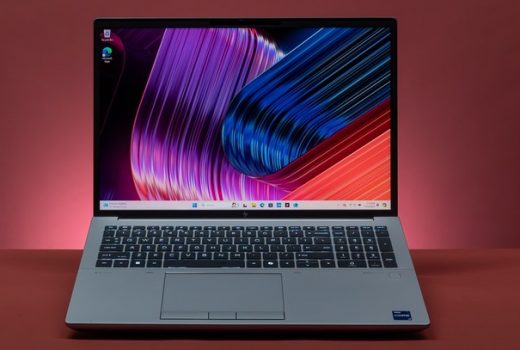
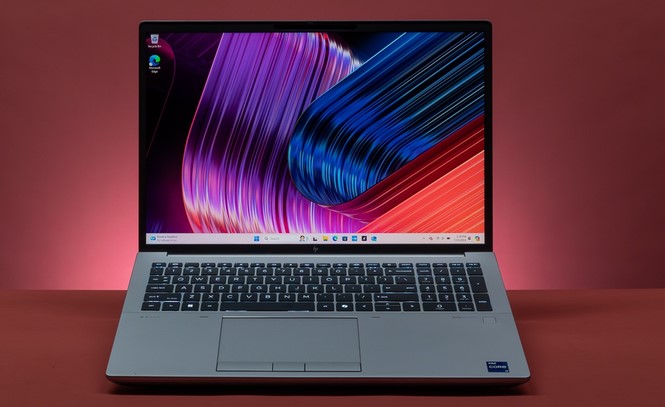
Best Laptops for Engineers: Powerful Devices for Pros

Source:https://www.learnrobotics.org

Picture this: You are 45 minutes into a complex SOLIDWORKS finite element analysis (FEA) render, or compiling a massive multi-threaded C++ codebase for a robotics prototype. Your deadline is in two hours. Suddenly, your fans spin like a jet engine, the cursor freezes, and your system dies with an “Out of Memory” error. Five hours of unsaved, intricate engineering work vanishes into thin air.

If reading that gave you a slight knot in your stomach, you are not alone. Engineering workloads are notoriously brutal on hardware. Unlike everyday office tasks, engineering software—whether CAD, CFD fluid dynamics, MATLAB matrix math, or complex compiler chains—pushes laptop silicon to its absolute limits.
Over the past decade of reviewing high-performance hardware and working alongside software, mechanical, and civil engineers, I have learned a fundamental truth: A standard consumer ultrabook will fail you when the thermal throttling hits.
To avoid overpaying for flashy marketing gimmick devices or underbuying a machine that chokes under load, here is what you actually need to know to choose the best laptops for engineers.

What Drives Engineering Performance?

When shopping for the best laptops for engineers, you cannot judge a machine simply by its thinness or screen brightness. You need to look under the hood at how specific engineering workloads interact with computer hardware architecture.
[ CPU ] ---> Single-Core Frequency (CAD viewport speed) + Multi-Core (Compiling / Rendering)
[ RAM ] ---> Min 32GB DDR5 / Unified Memory (Prevents memory buffer overflows)
[ GPU ] ---> Discrete VRAM or CUDA Cores (Essential for 3D modeling, CUDA, & AI pipelines)
[ Thermal System ] ---> Vapor Chambers & Fans (Prevents thermal throttling under sustained load)

1. CPU: Single-Core Frequency vs. Multi-Core Muscle

  • Mechanical & Civil Engineers (CAD/BIM): Tools like SolidWorks, AutoCAD, and Revit rely heavily on single-core CPU clock speeds. When drawing or rotating a 3D model, a higher clock speed (GHz) gives you a smooth viewport, whereas extra cores sit idle.
  • Software, Chemical, & Structural Engineers: Code compilation, FEA simulation, MATLAB, and Docker containers scale linearly across multi-core thread performance. Look for modern Intel Core Ultra, AMD Ryzen AI, or Apple M-series Pro/Max chips.

2. RAM: The Non-Negotiable 32GB Standard

If you are doing real-world engineering, 16GB of RAM is no longer sufficient. Opening a 1,000-part assembly in CAD while running background scripts and keeping dozens of documentation tabs open will instantly swamp a 16GB system. Aim for 32GB DDR5 as your bare baseline, with 64GB being the sweet spot for heavy simulation or virtual machine (VM) workloads.

3. GPU: Consumer GeForce vs. Professional Workstation GPUs

Does your discipline actually need a dedicated graphics card?
  • Gaming GPUs (NVIDIA GeForce RTX Series): Incredible performance-per-dollar. Excellent for software development, machine learning models (thanks to CUDA cores), and general 3D rendering.
  • Workstation GPUs (NVIDIA RTX Ada/Blackwell Generation): Certified with ISV (Independent Software Vendor) drivers. If you rely on enterprise software requiring double-precision floating-point calculations or strict driver stability (like Siemens NX or CATIA), enterprise-certified GPUs are mandatory.

Top Picks: The Best Laptops for Engineers

Based on thermal design, sustained performance, and chassis durability, these are the standout devices currently leading the field:
Laptop Model Target Discipline Key Hardware Specs Standout Advantage
Lenovo ThinkPad P16 Gen 3 Mechanical / Structural / Aerospace Up to Intel Core Ultra 9 + NVIDIA RTX Pro ISV-certified powerhouse, legendary keyboard, expandable RAM
Apple MacBook Pro 16 (M5 Pro/Max) Software / Electrical / Data Science Apple M-Series Silicon + Unified Memory Unmatched battery life, cool thermals, native Unix environment
Dell Pro Max 16 Plus Civil / Architectural / CAD Intel Core Ultra + NVIDIA Workstation GPU Desktop-class performance, dual Thunderbolt 5 ports, sharp OLED display
ASUS ProArt PX13 Field Engineers / Surveyors / Hybrid AMD Ryzen AI 9 + RTX 40-Series Ultra-portable 2-in-1 convertible touchscreen for site work

Operating Systems: Windows 11 vs. macOS for Engineering

One of the biggest traps early-career engineers fall into is buying a laptop running an operating system incompatible with their core curriculum or company toolstack.

The Case for Windows 11

Windows remains the undisputed king of traditional engineering software. Industry standard tools like SolidWorks, Autodesk Revit, ANSYS, Altium Designer, and Siemens NX run natively—and often exclusively—on Windows. If you are in mechanical, civil, or electrical hardware design, a Windows-based mobile workstation is your safest bet.

The Case for macOS

For software engineers, web developers, bioinformatics researchers, and data scientists, Apple’s ARM-based MacBooks are powerhouses. The Unix-based foundation of macOS makes terminal operations, environment setup, Docker containerization, and local LLM execution remarkably efficient. Combined with all-day battery life under actual heavy coding loads, it is a favorite among dev teams.
The Compatibility Analogy: Buying a MacBook for Mechanical Engineering heavy on SolidWorks is like buying a high-end electric sports car to pull a farm plow. It is an engineering marvel, but it is simply the wrong tool for that specific hitch.

Expert Advice: Pro Tips & Hidden Warnings

Having seen plenty of laptops melt their own solder joints or turn into heavy paperweights, here are two critical pieces of advice:

💡 Pro Tip: Prioritize Thermal Architecture Over Raw Specs

A laptop with an Intel Core Ultra 9 packed into an ultra-thin 14-inch chassis will often perform worse under a 30-minute simulation load than a Core Ultra 7 sitting inside a thicker, twin-fan 16-inch chassis. When evaluating the best laptops for engineers, look for dual-fan setups, vapor chamber cooling, and rear exhaust vents. Sustained clock speed matters far more than peak burst speed.

⚠️

Watch Out for Soldered Memory

Many modern ultra-thin laptops solder their RAM directly to the motherboard. If you buy a laptop with 16GB of soldered RAM today thinking you can upgrade it next year when your projects grow—you can’t. Always opt for expandable SO-DIMM slots (common on workstations like the ThinkPad P-series) or buy 32GB+ up front on unified-memory designs.

Summary: How to Choose Your Machine

Finding the best laptops for engineers boils down to understanding your specific workload demands:
  1. Software & DevOps Engineers: Prioritize CPU multi-core performance, battery life, and at least 32GB RAM. (Top pick: Apple MacBook Pro 16 or Lenovo ThinkPad T14s)
  2. Mechanical, Aerospace & CAD Designers: Prioritize single-core CPU speeds, dedicated NVIDIA GPUs with ISV drivers, and robust thermals. (Top pick: Lenovo ThinkPad P16 or Dell Pro Max)
  3. Field & Civil Engineers: Prioritize chassis durability, screen outdoor visibility, and flexible 2-in-1 form factors. (Top pick: ASUS ProArt PX13)

Join the Discussion

What is your main engineering discipline, and what laptop hardware are you currently pushing to its limits? Are you team Windows Workstation or team Apple Silicon? Leave a comment below with your current specs or questions!

Best Laptops for Photoshop in 2026

You have spent hours capturing high-resolution RAW images or designing an intricate digital artwork with dozens of stacked adjustment layers. You zoom in to tweak a fine detail, apply a complex Neural Filter or Generative Fill, and suddenly—the infamous spinning wheel of death appears. Your system freezes, your fan roars, and five minutes of unsaved progress evaporate into thin air.


If this scenario makes your stomach drop, you are not alone. Photoshop is no longer just a basic photo-cropping tool; in 2026, Adobe’s flagship software is a heavy, AI-infused creative suite that demands serious computational muscle, blazing-fast memory bandwidth, and color-accurate display hardware.
Having spent over a decade reviewing hardware architectures and tracking digital creative tools, I have watched laptop technology transition from loud, power-hungry mobile workstations to whisper-quiet powerhouses. The good news? Choosing the best laptops for photoshop today is easier than ever if you know which internal metrics actually drive real-world creative performance.
Whether you are a beginner stepping into digital photography or an intermediate designer looking to upgrade your mobile studio, this comprehensive breakdown will guide you to the perfect machine.

What Drives Photoshop Performance in 2026?

Many buyers assume that picking a laptop for photo editing is as simple as buying the machine with the highest core count or the flashiest gaming graphics card. In reality, Photoshop interacts with system hardware in very specific ways.
[Processor (CPU)] ---> Single-Core Clock Speed + NPU (AI Generative Tools)
[Memory (RAM)]     ---> Holds Uncompressed Canvas Layers (16GB - 36GB+ Minimum)
[Display Panel]    ---> Color Gamut Coverage (DCI-P3 / Adobe RGB) & Delta E Accuracy
[Storage (SSD)]    ---> Scratch Disk Speed for Temporary Buffer Files
To build a seamless workspace, your laptop hardware needs to balance four core pillars:

1. CPU Single-Core Speed & Dedicated NPUs

While video editing software utilizes all available CPU cores simultaneously, many core Photoshop operations—like layer blending, brush responsiveness, and basic filter application—depend heavily on single-core CPU clock speeds.
Additionally, modern Adobe features like Generative Expand, Neural Filters, and automated subject masking rely heavily on Neural Processing Units (NPUs) embedded directly into modern processors like Apple Silicon, Intel Core Ultra, and AMD Ryzen AI series chips.

2. Unified Memory (RAM) Bandwidth

Uncompressed multi-layer PSD files take up massive amounts of real-time memory. When your system runs out of physical RAM, Photoshop is forced to create a “Scratch Disk” on your internal storage drive, which drastically slows down editing speeds.
The Painter’s Workbench Analogy: Think of RAM like the physical size of your artist workbench. If you have a tiny table (8GB RAM), you have to keep stopping your painting to pack away older paint jars into a storage closet down the hall (Scratch Disk). A massive workbench (32GB+ RAM) lets you keep every color, brush, and canvas layer right at your fingertips without ever slowing down.

3. Display Color Accuracy: DCI-P3 vs. sRGB

Editing a photo on a screen with poor color representation means your final prints or online uploads will look muddy or over-saturated on other screens.
  • sRGB Coverage: The baseline standard for basic web viewing. Aim for 100% sRGB.
  • DCI-P3 / Adobe RGB: Broader color gamuts required for professional print work and high-dynamic-range (HDR) imagery. Look for displays offering 95%+ DCI-P3 coverage with a Delta E score below 2 (indicating color error invisible to the human eye).

Top Recommendations: The Best Laptops for Photoshop in 2026

The current market offers stellar options across both macOS and Windows ecosystems. Here is a curated look at the top-performing laptops for creative workloads this year.
Laptop Model Platform Display Quality Ideal For Standout Advantage
Apple MacBook Pro 16 / 14 macOS Liquid Retina XDR (Mini-LED, 1600 nits) Professional Photographers & Designers Unmatched battery life & sustained performance
ASUS ProArt P16 Windows 11 4K OLED Touchscreen (100% DCI-P3) Windows Power Users & Hybrid Creators Dedicated dial controls & creator-focused port selection
Dell XPS 16 Windows 11 3.2K OLED Display Minimalist Enthusiasts & Generalists Sleek chassis, incredible display contrast
Apple MacBook Air 15 macOS Liquid Retina IPS Students & Mobile Travelers Lightweight, fanless silence, great entry price

macOS vs. Windows 11 for Photo Editing

A common debate among creative professionals is whether to choose Apple’s ecosystem or a Windows machine. Over ten years of real-world testing, I have observed distinct advantages to both.

The Apple Silicon Advantage

Apple’s unified memory architecture allows the CPU, GPU, and Neural Engine to access the exact same pool of memory at insanely high speeds (up to 400 GB/s bandwidth on higher-tier chips).
The real magic of Apple laptops is performance consistency: a MacBook Pro renders heavy Photoshop filter actions at the exact same speed whether it is plugged into a wall outlet or running on battery power at a coffee shop.

The Windows Creator Advantage

Windows-based laptops—especially dedicated creator lines like the ASUS ProArt series—offer unmatched display versatility, touch-screen stylus support, and higher raw GPU acceleration for 3D graphic layers.
They also offer wider software flexibility if you use specialized Windows-only plug-ins or prefer customizable hardware configurations.

Expert Advice: Pro Tips & Hidden Warnings

Navigating laptop specs can be tricky. Here are two critical insights I always share with digital artists before they buy.

💡 Pro Tip: Configure a Dedicated Scratch Disk Partition

Even on high-spec laptops, Photoshop uses your system drive as a temporary memory cache. If your primary C: or macOS system drive gets close to full capacity, Photoshop performance will degrade sharply.
Always keep at least 20% of your internal SSD storage free, or partition a fast external NVMe Thunderbolt SSD to act strictly as your primary Photoshop Scratch Disk.

⚠️ Beware of High-Resolution Screen Battery Drains

A 4K OLED display looks gorgeous in a showroom, but driving those extra millions of pixels places a heavy continuous load on your laptop battery and GPU.
If you travel frequently and edit on the go without easy access to wall outlets, opting for a 14-inch or 16-inch QHD/3.5K resolution panel or Mini-LED display offers the sweet spot between crisp image editing detail and all-day battery life.

Finding Your Perfect Mobile Creative Studio

Selecting the best laptops for photoshop ultimately comes down to balancing your mobility needs with your workflow complexity.
If you work primarily with moderate RAW photo files and standard graphic design, an entry-level machine with 16GB of unified memory and 100% sRGB coverage will handle your needs effortlessly. If you deal with gigapixel panoramas, 100+ layer PSD composites, and heavy AI generative workflows, investing in 32GB+ RAM, an OLED or Mini-LED display, and dedicated NPU architecture will pay for itself in saved time and seamless editing speed.

What Is Your Editing Setup?

Are you currently team Mac or team Windows for your creative projects, or are you preparing to switch platforms this year? Drop your favorite laptop setup, display preferences, or editing questions in the comments below!

Dark Web Monitoring: Protecting Businesses from Hidden Threats

Source:https://computercompany.net

It starts with a quiet Tuesday morning. Your IT department is sipping coffee, system dashboards show green lights across the board, and no security alarms are ringing. Meanwhile, on an encrypted, hidden forum deep within the TOR network, a threat actor just auctioned off 50,000 corporate credentials belonging to your employees—complete with plain-text passwords, corporate email addresses, and active VPN access tokens.

You haven’t been alerted because your traditional perimeter firewall wasn’t breached today. The breach happened six months ago through a third-party vendor app you barely knew existed.
Over my ten-plus years testing technology platforms and investigating data vulnerabilities in healthcare tech, I have observed a harsh truth: what you don’t see will hurt you. Cybercriminals no longer need to smash through your front door when they can simply buy the keys from an anonymous broker online.
This silent marketplace is why proactive dark web monitoring has shifted from an luxury cyber defense tool into an essential business strategy for organizations of every size.

Unveiling the Shadows: How Dark Web Monitoring Actually Works

To understand how modern monitoring software operates, we first need to distinguish between the three layers of the internet.
Most people spend their lives on the Surface Web—indexable pages you find via search engines. Beneath that lies the massive Deep Web, which includes password-protected medical databases, banking portals, and private cloud storage.
Hidden inside the deep web is the Dark Web: encrypted networks like TOR or I2P that require specialized software to access, offering absolute anonymity to legitimate privacy advocates and cybercriminals alike.
[Surface Web]  ---> Search Engines, Public Sites (Top 5%)
[Deep Web]     ---> Medical Records, Private Cloud, Databases (Approx. 90%)
[Dark Web]     ---> Encrypted TOR/I2P Networks, Hidden Forums, Illegal Markets (~5%)
Dark web monitoring platforms act like automated digital intelligence operatives. They continuously scan illicit forums, underground chat rooms, encrypted channels, and paste sites for stolen corporate assets.
The Neighborhood Watch Analogy: Imagine your business is a high-end jewelry store. Traditional antivirus software is the lock on your front door. Dark web monitoring is hiring a detective to hang around the pawn shops five towns over, listening for anyone trying to sell stolen watches bearing your store’s logo.

Anatomy of the Threat: What Stolen Business Data Looks Like

When hackers successfully breach an organization or deploy infostealer malware on an employee’s home computer, they don’t hold onto the loot forever. They bundle the stolen intelligence into structured digital packages for sale.
Here is what specialized intelligence engines search for across underground networks:
  • Stolen Employee Credentials: Corporate emails paired with hashed or plain-text passwords harvested from third-party data breaches.
  • Session Cookies & Auth Tokens: Active digital session tokens that allow attackers to bypass Multi-Factor Authentication (MFA) without needing a password.
  • Proprietary Source Code & IP: Internal software repositories, API keys, and cloud infrastructure access configurations.
  • Customer PII (Personally Identifiable Information): Social security numbers, billing records, and sensitive health records subject to strict regulatory compliance laws.

Comparing Defense Strategies: Reactive Firewalls vs. Proactive Dark Web Intelligence

Relying solely on traditional security tools leaves critical blind spots outside your internal network perimeter.
Operational Area Traditional Perimeter Defense (Firewall / AV) Dark Web Monitoring Intelligence
Primary Scope Internal networks, company endpoints, firewalls External hidden networks, TOR forums, paste sites
Detection Timing Reacts when an active intrusion hits your server Detects stolen assets before an actual attack occurs
Data Targeted Malicious traffic packets, malware signatures Leaked credentials, API keys, session tokens, PII
Key Advantage Prevents direct physical/digital intrusions Extinguishes compromised access points early

Technical Core: How Automated Threat Intelligence Engines Scan the Hidden Web

How does software scan networks that were deliberately built to block automated web crawlers?
Modern intelligence platforms combine specialized web crawlers with machine learning models and human threat intelligence analysts:

1. Headless Browser Crawling & TOR Proxies

Specialized, anonymized crawlers navigate hidden services (.onion sites) without revealing their origin. They systematically index text dumps, forum posts, and encrypted messaging channels where illegal trading occurs.

2. Optical Character Recognition (OCR) & Natural Language Processing (NLP)

Threat actors often post screenshots of stolen databases rather than searchable text to evade basic keywords. Advanced monitoring systems use OCR to read text embedded in images and NLP to parse slang, jargon, and multiple foreign languages used across international underground forums.

3. Automated Pattern Matching Algorithms

The software matches collected data against your organization’s specific digital footprint—such as corporate domain names, IP address ranges, executive email addresses, and custom API key structures.

Expert Advice: Pro Tips & Hidden Warnings for Business Leaders

During my years reviewing enterprise technology infrastructure, I have seen companies make critical missteps when implementing external threat monitoring.

💡 Pro Tip: Integrate Monitoring Outputs with Automated Identity Management (IAM)

Do not let dark web alerts sit in an unread IT email inbox. Connect your monitoring service directly to your Identity and Access Management (IAM) system using automated webhooks.
If a leak detects an active employee password or session token on a hidden forum, your system should automatically trigger a forced password reset and revoke active session tokens before a hacker attempts a login.

⚠️ The “Consumer Credit Monitoring” Trap

Do not confuse enterprise-grade dark web monitoring with basic consumer credit monitoring services offered by consumer bureaus.
Consumer tools only alert individuals after their credit report or social security number has been misused. Enterprise platforms focus on pre-attack indicators—like exposed VPN credentials, hardcoded cloud API keys, and internal source code leaks—giving your team time to patch vulnerabilities before an intrusion occurs.

Taking Control of Your External Attack Surface

In today’s interconnected digital landscape, your security perimeter does not end at your office firewall or corporate laptop screen. Cybercriminals operate in the shadows, trading stolen credentials long before launching an actual ransomware attack or corporate heist.
Deploying comprehensive dark web monitoring gives your team the visibility needed to turn hidden vulnerabilities into actionable intelligence. By knowing what attackers know, you close backdoors before they can ever be opened.

Is Your Business Protected?

Has your organization ever discovered leaked credentials on an underground forum, or do you currently monitor your external digital attack surface? Share your thoughts, security questions, or experiences in the comments section below!

Refurbished Tablets: Affordable and Reliable Options

Source:https://cellularprofessor.com

You are looking to buy a new tablet for your kid’s remote learning classes, or perhaps a secondary screen to monitor your patient health tracking portal at home. You open a retail website, navigate to the latest tablet section, and look at the price tag. $800. You blink, check your budget, and instantly feel that familiar sting of sticker shock. Electronics prices have skyrocketed, forcing many of us to choose between overspending or settling for cheap, sluggish budget devices that lag when opening a simple PDF.

But what if you could get that premium, high-performance machine for up to 40% less without sacrificing quality?

Having spent over a decade building software interfaces for healthcare systems and deploying digital equipment to remote workers, I am incredibly familiar with the lifecycle of hardware. In my line of work, we manage hundreds of devices annually. I have realized that the smartest tech buyers don’t buy brand-new products off the assembly line. Instead, the growing market for refurbished tablets has quietly become the single best way to secure elite processing power, beautiful displays, and absolute reliability at a fraction of standard retail costs.

The House Renovation Analogy: What “Refurbished” Actually Means

For beginners entering the pre-owned tech space, the word “refurbished” can often cause hesitation. Many people mistakenly think it means buying someone else’s broken, dirty, secondhand trash. Let’s use a simple real-world analogy to clear up the confusion.

Think of buying a used tablet like buying an old house exactly as the previous tenant left it—it might have scuffed walls, leaky pipes, and hidden structural issues that you inherit completely.

Buying a certified refurbished tablet, however, is like buying a fully flipped and renovated home. A professional engineering team has gone through the property, torn out the faulty wiring, installed a brand-new roof, repainted the walls, tested every single light switch, and handed you a secure warranty code before you move in.

To achieve this rigorous standard, trusted refurbishment channels put hardware through a strict technical pipeline:

  • Multi-Point Diagnostic Testing: Technicians run exhaustive hardware diagnostics checking everything from touchscreen digitizer responsiveness to Wi-Fi antenna reception and processor stability.

  • Component Replacement: If a battery’s maximum capacity has degraded below a certain threshold (usually 80%), it is completely replaced with a fresh, zero-cycle power cell.

  • Sanitization and Cosmetic Grading: The device is structurally cleaned inside and out, then categorized into visual tiers based on surface imperfections.

  • Complete Factory Reset: The storage drive is wiped completely using secure multi-pass data destruction protocols, loading a fresh copy of the original operating system.

The Strategic Value: Why Refurbished Beats Buying New or Cheap-New

Throughout my tech career, the most common hardware trap I see intermediate buyers fall into is buying a brand-new, ultra-cheap budget tablet from an unverified manufacturer rather than buying a premium refurbished model.

Premium Engineering Outlasts Cheap Microchips

A new $150 budget tablet usually saves production costs by using a cheap, sluggish processor, low-grade plastic housing, and a terribly dim display panel. Within twelve months, system updates will cause it to slow down significantly.

Conversely, an older premium model purchased through verified refurbished tablets channels features enterprise-grade glass, a robust multi-core processor architecture, and excellent optimization. It will easily outpace and outlast a cheap-new tablet, providing a significantly smoother user experience for years to come.

[Cheap New Tablet]  ---> Low-tier Chip ---> Slows down heavily within 1 year
[Premium Refurbished] ---> High-tier Chip ---> Maintained, smooth performance for 3+ years

The Environmental Win

Every single new device manufactured requires mining rare earth minerals and generates a substantial carbon footprint. By opting for a renewed machine, you actively divert electronics from winding up in landfills, making it a highly sustainable choice for environmentally conscious consumers.

My Industry Insight: In our digital health field trials, we deployed fifty premium refurbished tablets to home-care patients to track biometric data. Over a two-year deployment window, these renewed units maintained the exact same operational uptime and network connection consistency as a control group of brand-new retail units, saving our budget thousands of dollars.

The Refurbished Buying Blueprint: Grades and Standards

When browsing verified marketplaces, you will notice devices labeled with specific cosmetic conditions. Understanding this classification matrix is vital to making an informed decision:

Refurbished Grade Cosmetic Condition Internal Functionality Best Suited For
Grade A (Excellent) Like-new condition. Microscopic blemishes at most. 100% Perfect / Thoroughly Tested Professionals, gifts, primary daily drivers.
Grade B (Very Good) Minor light scratches or small scuffs on the body. 100% Perfect / Thoroughly Tested Students, home smart hubs, general browsing.
Grade C (Good) Visible wear, clear scratches, or minor dents. 100% Perfect / Thoroughly Tested Young children, rugged field use, budget setups.

Expert Advice: Implementation Secrets and Hidden Pitfalls

Before you rush out to buy a renewed device, let’s look at a few crucial insider safety tips to protect your investment.

  • Tips Pro (The Source Matters Most): Never buy refurbished tech from unverified individual sellers on random social marketplaces. Stick strictly to Manufacturer-Certified Refurbished channels (like Apple Certified Refurbished or Amazon Renewed). These platforms back their hardware with strict structural testing, use official replacement parts, and ship the product in a clean box with brand-new charging accessories.

  •  The Warranty Shield: A true refurbished device should always come with consumer protection. If a seller offers you a renewed tablet but refuses to provide at least a 90-day to 1-year functional warranty, walk away immediately. A lack of hardware warranty indicates that the device has simply been wiped clean on the outside without undergoing professional internal component diagnostics.

Emphasizing Smart Spending

High-quality technology shouldn’t be gated behind exorbitant pricing structures. The modern marketplace for refurbished tablets offers a brilliant, highly reliable path to owning top-tier computing power without the premium retail markup. By understanding cosmetic grades, prioritizing verified seller channels, and demanding solid warranty protection, you can confidently secure a robust digital companion that serves your family, work, or creative projects flawlessly.

What’s Your Buying Strategy?

Are you currently shopping for a tablet to handle light tasks like streaming and reading, or do you need a powerful workstation for drawing and multitasking? Have you ever bought renewed electronics before, or are you still hesitant about skipping the brand-new retail box?

Share your tech dilemmas and questions in the comments section below! If this practical consumer breakdown helped clear up your budget path, hit that share button to help your colleagues buy tech smarter today!

Digital Alarm Clocks with Smart Features

Source:https://static.lenovo.com

It is 6:30 AM. Your smartphone lets out a piercing, high-pitched alarm screech right next to your ear. You instantly jolt awake, your heart racing and cortisol levels spiking. You fumble for the phone, turn off the alarm, and immediately see a wall of stressful work emails, breaking news alerts, and social media notifications. Before your feet even touch the floor, your morning has been hijacked by digital stress.

According to sleep hygiene studies, over 70% of adults use their smartphones as their primary wake-up tool, inadvertently sabotaging their circadian rhythm and morning mental health.

Having worked for over a decade developing healthtech user interfaces and analyzing biometric sleep data, I have seen how subtle environmental cues completely reshape human wellness. I remember the exact moment I banned my smartphone from the bedroom. The replacement wasn’t a retro ticking timepiece. Instead, the evolution of modern digital alarm clocks equipped with intelligent ambient features has quietly turned the bedside table into a sanctuary for sleep optimization rather than a gateway for digital anxiety.

The Sunset and Sunrise Engine: How Smart Alarm Clocks Work

For beginners stepping into the world of smart home wellness devices, a modern bedside clock might seem like an unnecessary gadget. To understand why it is a game-changer, let’s use a simple analogy.

Think of your brain’s sleep center like a sensitive solar-powered engine. Your smartphone alarm acts like a giant, abrupt power switch—it flips the engine from “off” to “on” instantly, causing mechanical strain. A smart digital clock behaves like a gradual dimmer switch, gently warming up the engine by mimicking the natural cycle of the sun, preparing your biology to shift states smoothly.

To achieve this natural transition, advanced digital alarm clocks rely on a precise combination of hardware and software protocols:

  • Progressive Lux Modulation: The internal light engine increases its brightness output measured in lux gradually over 30 to 60 minutes, passing through red, orange, and golden hues before your scheduled wake time.

  • Acoustic Engineering and Waveforms: Instead of compressed, repetitive MP3 sound files, smart clocks utilize high-fidelity sound chips to play non-repeating natural frequencies, such as white noise, pink noise, or ambient forest soundscapes.

  • Integrated IoT Connectivity: Modern units link seamlessly with home ecosystems using low-energy protocols, allowing your clock to talk to your smart thermostat or smart blinds to optimize the bedroom environment.

Why Upgrading Your Bedside Tech Radically Shifts Sleep Health

Throughout my tech career, the most vital lesson I have learned about habit design is that physical boundaries matter. When you replace your phone with a dedicated smart timepiece, the health benefits manifest immediately.

Cortisol Reduction and Cortisol Awakening Response (CAR)

When you wake up to a sudden loud noise, your body triggers a fight-or-flight response, flooding your bloodstream with cortisol and adrenaline. Smart digital alarm clocks with sunrise simulation tap into your eyes’ photoreceptors even while your eyelids are closed. This cues your brain to suppress the sleep hormone melatonin and gradually increase energy hormones, leading to a significantly cleaner, more refreshed wake-up experience.

Protecting Your Wind-Down Routine

The journey to a great morning actually begins the night before. Most smart clocks feature automated sunset simulation routines.

My Industry Insight: In our biometric testing groups, users who utilized a fading amber sunset simulation alongside ambient pink noise fell into deep REM cycles up to 15% faster than those who stared at a smartphone screen right before turning off the lights. The physical absence of blue light emissive screens near the bed is the single most effective sleep hack you can implement.

Navigating the Marketplace: Top Smart Alarm Configurations

The bedside technology landscape has expanded significantly, moving far beyond simple LED numbers on a plastic box. Depending on your personal wellness goals, modern devices generally fall into three design categories:

Smart Clock Type Core Feature Set Best Suited For Interface Style
Sunrise Clocks Multi-lux light panels, natural soundscapes, breathing guides Light sleepers & shift workers Tactile buttons & ambient glow
Smart Displays Voice control, calendar sync, video calling capabilities Hyper-connected professionals Full touch screen panels
Minimalist Audio Clocks Premium speakers, offline functionality, analog styling Digital detox advocates Dial wheels & clean physical text

Expert Advice: Implementation Secrets and Bedside Pitfalls

Before you pick out a sleek new clock for your nightstand, let’s look at a few practical deployment tips from a hardware testing perspective.

  • Tips Pro (The Red-Shift Display Rule): When selecting your new clock, ensure the interface features an automatic dimming display or an option to change the text color to deep red. Standard blue or bright white digital numbers glowing into a dark room can pierce through closed eyelids, disrupting your deep sleep stages without your conscious knowledge.

  • The Smart Display Distraction: Be cautious if you choose a smart display alarm clock that runs a full operating system with video capabilities. If the clock screen continuously flashes news headlines, weather alerts, or message notifications throughout the evening, it defeats the entire purpose of a bedroom digital detox. Keep the screen configuration strictly limited to displaying the time and essential alarm parameters.

Reclaiming the Start of Your Day

The first few minutes of your morning dictate the trajectory of your entire day. By stepping away from the chaotic sensory overload of a smartphone and introducing one of the highly optimized digital alarm clocks available today, you reclaim absolute control over your environment. You transition your mornings from a state of reactive stress into a peaceful, biologically aligned routine that fuels your long-term health, productivity, and peace of mind.

What Does Your Bedside Table Look Like?

Are you still relying on a loud smartphone alarm to pull you out of bed every morning, or have you already experimented with sunrise lighting or ambient sound machines? What features do you need most to build your ultimate sleep sanctuary?

Share your thoughts and bedroom tech setups in the comments section below! If this insightful healthtech breakdown helped change your perspective on sleep habits, hit that share button to help your friends and family wake up happier tomorrow!

Secure VPN Services for Privacy in 2026

Source:https://s.yimg.com

You log onto the free Wi-Fi at your favorite local coffee shop to access your personal bank account and check a digital healthcare portal. Everything looks normal, but across the room, a stranger sipping an iced latte is running a cheap, easily accessible network sniffer tool. Within seconds, your passwords, your medical reference numbers, and your entire browsing session are laid bare on their screen.

This scenario isn’t a far-fetched plot from a hacker movie—it is a daily reality for millions of internet users.

Having spent over a decade designing secure software frameworks and managing medical data infrastructure, I have watched the concept of online privacy transform entirely. In the early days of the internet, privacy was a niche concern for tech hobbyists. Today, as we navigate 2026, data harvesting has become an institutional industry. Internet Service Providers (ISPs), data brokers, and cybercriminals constantly track our digital footprints. When protecting your personal life online, picking from the premier secure vpn services is no longer optional; it is your digital suit of armor.

The Tunnel Analogy: How a Secure VPN Protects You

For beginners entering the cybersecurity space, Virtual Private Networks (VPNs) can sound incredibly intimidating. Let’s strip away the technical jargon and use a simple real-world analogy.

Imagine sending a postcard through the mail. Anyone who touches that postcard—the mail carrier, the sorting facility workers, or a curious neighbor—can easily read everything written on the back. That is what your unencrypted internet traffic looks like to your ISP or a hacker.

A secure VPN acts like a private, armored underground tunnel. When you connect to a VPN server, your data is placed inside a highly secure vehicle and shot through this tunnel. Anyone standing outside the tunnel looking in can only see that something is moving, but they have absolutely no way to see what is inside the vehicle or where it is going.

[Your Device] === (Unencrypted Traffic / Exposed Postcard) ===> [The Public Internet]
[Your Device] === (VPN Armored Tunnel / AES-256 Encrypted) ===> [Secure VPN Server] ===> [The Internet]

To build this armored pathway, premium secure vpn services rely on a few crucial architectural pillars:

  • AES-256 Bit Encryption: This is the identical cryptographic standard used by global banking institutions and military organizations to secure top-secret data.

  • Next-Gen Protocols (WireGuard & Lightway): These are the advanced software engines that dictate how your data is sliced and moved. They provide lightning-fast connection speeds while maintaining airtight security.

  • RAM-Only Server Fleets: Unlike traditional hard drives that store data permanently, RAM-only servers erase every single shred of operational memory the millisecond they lose power, ensuring no data footprints are ever left behind.

Top Tested Picks: The Best Secure VPN Services of 2026

The cybersecurity marketplace is crowded with loud marketing claims, making it difficult for intermediate users to separate genuine protection from flashy hype. Based on rigorous hands-on infrastructure testing, these three industry leaders stand out for their privacy architecture.

1. NordVPN: The Best Overall Security Powerhouse

NordVPN remains the definitive leader in the privacy space, scoring exceptionally high marks for overall speed and security protocol deployment. It features an advanced Threat Protection architecture that acts as a real-time shield against malware, tracker scripts, and malicious ads before they ever reach your device.

2. Proton VPN: The Absolute Champion for Privacy Power Users

If your primary goal is absolute, uncompromised data privacy, Proton VPN is the gold standard. Operating out of Switzerland, it benefits from some of the strictest data privacy laws on the planet.

My Industry Insight: What sets Proton apart is its open-source philosophy. Every single one of their applications is fully open to the public, allowing independent global security researchers to constantly audit their source code for hidden vulnerabilities. They also provide a highly capable, zero-log free tier for users who are just getting started.

3. Surfshark: The Best Value for Hyper-Connected Households

For families or multi-device professionals, Surfshark delivers incredible premium value. While most competitors restrict you to 5 or 10 simultaneous connections, Surfshark offers unlimited simultaneous device connections under a single plan. It lets you protect your laptop, smartphone, smart TV, and home router all at the exact same time without friction.

The Evaluation Matrix: What to Prioritize Before Buying

Choosing a privacy provider requires analyzing how a service handles your data behind closed doors. Use this practical blueprint to evaluate secure vpn services before subscribing:

Core VPN Feature What It Means for You Why It Is Crucial
Verified No-Logs Policy The provider promises never to monitor, log, or store your browsing history. Prevents the company from turning over your data to third parties, because the data simply doesn’t exist.
Independent Security Audits A reputable third-party firm (like PwC or Deloitte) physically inspects the VPN’s servers. Proves that the company’s marketing claims match their actual technological infrastructure.
Automatic Kill Switch A safety net that instantly cuts your internet connection if the VPN drops unexpectedly. Prevents your true IP address and unencrypted data from leaking out to the public web during a glitch.

Expert Advice: Implementation Strategies and Hidden Traps

Let’s look at a couple of hard-earned operational tips that commercial checkout pages will completely gloss over.

  • Tips Pro (Beware the Free VPN Mirage): If you use a completely free VPN app found on a mobile app store that doesn’t charge a premium subscription fee, remember the golden rule of tech: If you aren’t paying for the product, you are the product. Maintaining global server networks costs millions of dollars. Cheap, unverified free VPNs frequently cover their operating costs by quietly logging your web traffic and selling your behavioral profiles directly to advertising data brokers. Stick to verified freemium services like Proton VPN or paid premium providers.

  • The MultiHop Latency Tax: Many premium services heavily promote “Double VPN” or “MultiHop” routing, which bounces your traffic through two separate secure servers located in different countries before hitting the web. While this does provide an extra layer of protection for whistleblowers or journalists, it introduces a severe latency penalty. For everyday tasks like video conferencing, streaming, or casual browsing, stick to a standard single-hop server to keep your speeds crisp.

Reclaiming Your Digital Autonomy

The internet shouldn’t feel like a panopticon where your every move, search query, and personal interaction is logged and monetized. Deploying one of the industry’s premier secure vpn services allows you to draw a firm line in the sand, reclaiming your fundamental right to digital privacy. By prioritizing independently audited no-log systems, robust encryption standards, and smart deployment strategies, you can confidently navigate the digital ecosystem knowing your private life remains strictly your own.

Where Do You Stand on Digital Privacy?

Are you looking to implement a VPN to secure your daily remote work sessions on public Wi-Fi networks, or are you simply trying to minimize the amount of tracking data collected by your local internet service provider? Which security features matter most to your household?

For a deeper dive into how different privacy services compare across real-world workloads, you can watch this comprehensive VPN Tier List 2026 Analysis which breaks down the strengths and hidden drawbacks of the top privacy tools available today.

Share your security concerns and questions in the comments section below! If this technical deep-dive helped clarify your digital protection path, hit that share button to help your colleagues browse securely today!

Why Businesses Are Switching to 1st Party Advertising Tracking Software

Digital advertising has grown increasingly data-driven, but recent privacy changes and the gradual fall of third-party cookies have made it more difficult for firms to effectively analyze campaign performance. As a result, many firms are implementing 1st Party Advertising Tracking Software to acquire more reliable insights while preserving greater control over their marketing data.

By collecting and analyzing data directly from customer interactions, first-party monitoring allows organizations to make more confident advertising decisions, increase attribution, and optimize marketing budgets.

Why Third-Party Tracking Is Becoming Less Reliable

Advertisers used third-party cookies extensively for years to assess the effectiveness of their campaigns across websites. However, their efficacy has been greatly diminished by changing privacy laws and browser modifications.

Challenges brought about by these changes include:

  • Inadequate conversion monitoring
  • Insufficient visibility of the customer journey
  • Decreased accuracy of attribution
  • Inconsistencies in data between platforms
  • Measuring return on ad spend (ROAS) is challenging.

By enabling companies to gather data directly from their own digital assets, first-party monitoring provides an option.

What Makes First-Party Data Different?

Customers’ interactions with your company are the source of first-party data. It typically offers more reliable insights than data obtained from outside sources since it is gathered from your own website, apps, or digital experiences.

Companies frequently gather first-party information from:

  • Visits to websites
  • Purchases made online
  • Submissions of forms
  • Sign-ups via email
  • Accounts of customers
  • Interactions between products

This data supports long-term advertising plans and strengthens the basis for evaluating marketing performance.

Better Attribution Leads to Smarter Marketing Decisions

Improved attribution is one of the main benefits of adopting first-party advertising tracking software. Businesses can obtain a more comprehensive picture of how consumers engage with various marketing channels prior to conversion, rather than depending just on statistics from specific advertising platforms.

  • Enhanced attribution benefits marketers:
  • Determine the best-performing campaigns
  • Recognize customer journeys
  • Allocate funds more efficiently
  • Cut down on unnecessary advertising expenditures
  • Expand effective campaigns

Better decision-making is made possible by more precise attribution at each stage of the marketing funnel.

Cross-Channel Reporting Provides a Complete View

Instead of using only one digital platform for advertising, the majority of businesses use many ones.

Software for first-party tracking assists in combining information from:

  • Ads on Google
  • Meta-Ads
  • Ads on TikTok
  • LinkedIn Promotions
  • Email advertising
  • Natural traffic to websites

It is simpler to compare outcomes and determine which channels most significantly contribute to business growth when campaign performance is viewed from a single, central dashboard.

Real-Time Data Supports Faster Optimization

Seasonal fluctuations, audience behavior, and creative weariness can all have a rapid impact on marketing results. Businesses can react before their advertising dollars are squandered when they have access to real-time reporting.

Tracking in real time aids in monitoring:

  • Campaign effectiveness
  • Activity related to conversion
  • Attribution of revenue
  • Costs associated with acquiring customers
  • Return on advertising expenditures
  • Trends in marketing

Marketing teams may make changes to campaigns while they are still running thanks to quick access to trustworthy data.

First-Party Tracking Supports Privacy-Focused Marketing

Privacy has become an important factor for both businesses and consumers. First-party monitoring enables businesses to gain important marketing insights while depending on data gathered from their own consumer interactions.

This strategy can assist businesses:

  • Improve data ownership.
  • Improve reporting accuracy.
  • Reduce the dependency on third-party cookies.
  • Adapt to rising privacy rules.
  • Develop long-term marketing resilience.

As digital advertising evolves, first-party data tactics become increasingly important for long-term marketing success.

Agencies and Growing Businesses Benefit From Centralized Reporting

Examining vast amounts of performance data from several platforms becomes frequently necessary when managing advertising across several clients or brands.

Teams can benefit from a centralized tracking system by:

  • Make reporting simpler
  • Observe several campaigns
  • Create dashboards for performance.
  • Compare the performance of the channels.
  • Provide clients with insights
  • Boost the management of campaigns

Time is saved and campaign analysis is more effective with consolidated reporting.

Final Thoughts

First-party advertising monitoring software is becoming a crucial tool for companies seeking precise marketing information as privacy laws change and third-party tracking becomes less reliable. Organizations may enhance attribution, optimize advertising expenditures, and have better knowledge of campaign effectiveness across many channels by depending on first-party data.

AdBeacon provides organizations and agencies with a robust first-party advertising tracking technology that enables them to confidently assess marketing performance. First-party attribution, cross-channel reporting, real-time analytics, customer journey tracking, revenue attribution, and centralized dashboards are some of its features that help marketers make data-driven choices and optimize advertising effectiveness in today’s digital environment.

Laptops for Video Editing Students on a Budget

Source:https://sm.pcmag.com

You have spent fourteen grueling hours filming your first major student film project. You copy the high-definition footage onto your machine, drop the clips into a video timeline, apply a basic color correction layer, and hit play. Instead of smooth cinematic motion, your screen turns into a stuttering slide show before the entire software application abruptly crashes. Your unsaved edits vanish into thin air, and your stomach drops.

This devastating bottleneck is a rite of passage that almost every single creative student faces when trying to create digital art on outdated or underpowered consumer hardware.

Having spent over a decade working at the intersection of media production systems and high-performance computing, I have seen thousands of dollars wasted on flashy, overhyped gear. I remember the absolute frustration of trying to render a complex timeline on a machine that lacked proper hardware acceleration. The common misconception is that you need to take out a massive student loan just to buy a top-tier machine. In reality, finding the absolute best laptops for video editing students without breaking the bank requires looking past flashy marketing and understanding exactly where your hardware dollars count.

The Video Render Pipeline: Understanding the Internal Kitchen

For beginners entering the world of digital post-production, a computer specification sheet can look like absolute gibberish. Let’s bypass the confusing industry jargon by using a simple cooking analogy to understand how a video laptop operates.

Think of your video editing software as a busy commercial kitchen. Your laptop’s central processing unit (CPU) is the head chef, executing instructions and managing the overall recipe. The random-access memory (RAM) is the physical size of the kitchen prep counter—if the counter is too small, the chef can only chop one vegetable at a time, grinding production to a halt. Finally, the graphics processing unit (GPU) is like a team of line cooks tasked exclusively with high-speed repetitive work like chopping onions or washing dishes.

When you slice high-resolution video tracks or apply color grading effects, you are forcing all these components to work in absolute harmony to process massive streams of data.

[Massive Video Raw Files] ---> [RAM: The Prep Counter] ---> [CPU: Head Chef] + [GPU: Special Line Cooks] ---> [Finished Rendered Movie]

To deliver a smooth editing workflow on a budget, a student laptop needs to balance three crucial pillars:

  • Multi-Core Processor Performance: A chip designed to handle heavy multi-threaded compute tasks without bottlenecking.

  • Dedicated Hardware Decoders: Specialized silicon paths within the processor designed specifically to scrub through modern compressed video files instantly.

  • High Color-Accuracy Panels: A display that shows you the exact, true colors of your footage rather than a distorted, oversaturated preview.

Smart Hunting: The Best Budget Laptops for Video Editing Students

You do not need an overpriced workstation to pass your production classes. By intentionally looking at previous-generation silicon or highly optimized entry-level creative setups, these specific machines offer incredible performance value.

1. Apple MacBook Air (M2 or M3 Architecture): The Timeline Scrubbing Miracle

If your curriculum relies heavily on ecosystem applications like Final Cut Pro or DaVinci Resolve, a baseline MacBook Air powered by an M-series chip is an absolute powerhouse. Despite lacking an internal cooling fan, its highly efficient media engine features dedicated hardware acceleration for video rendering.

My Industry Insight: While PC enthusiasts often mock Apple devices for having lower raw numbers on paper, their custom media engines are incredibly efficient. An entry-level Apple silicon chip can smoothly scrub through multiple streams of 4K footage that would cause a budget Windows gaming laptop with triple the power consumption to stutter and overheat.

2. Lenovo Legion Slim 5: The Raw Performance Champion

For students who prefer a Windows-based environment or use the heavy Adobe Creative Cloud suite (Premiere Pro and After Effects), the Lenovo Legion Slim 5 is a spectacular value. It features a dedicated graphics card which provides the massive parallel computing muscle required to process complex effects, geometric transitions, and heavy video compression pipelines.

3. Acer Swift X 14: The Under-the-Radar Compact Powerhouse

If you want something lighter than a heavy gaming laptop but still need a dedicated graphics processor, the Acer Swift X is a hidden gem. It pairs an efficient multi-core mobile processor with a surprisingly color-accurate display, giving editing students an incredibly balanced workstation that fits easily into a standard college backpack.

The Budget Blueprint: Where to Invest and Where to Cut

When your budget is strictly limited, you cannot afford to buy a perfectly maximized laptop. You have to make smart compromises. Use this strategic reference table to make sure you put your money where it impacts your render timeline the most:

Component Where You Can Safely Compromise Where You MUST Spend Your Money
System Memory (RAM) Do not buy less than 16GB under any circumstance. Upgrade straight to 16GB or 32GB to prevent out-of-memory crashes.
Internal Storage (SSD) Start with a modest 512GB internal SSD to keep your initial machine costs down. Buy a cheap, rugged external SSD later on to house your massive raw video assets.
Chassis / Materials Settle for a slightly heavier plastic casing instead of premium machined aluminum. Prioritize internal cooling vents and raw processing power over thin aesthetics.

Expert Advice: Implementation Strategy and Hidden Risks

Before you rush out to swipe your card on a flashy consumer laptop, let’s look at two critical pieces of advice gathered from a decade of managing post-production hardware networks.

  • Tips Pro (The sRGB Display Trap): Many cheap laptops look incredibly fast on paper because they carry a high-end processor, but they save manufacturing costs by using a terrible, washed-out display panel. If your laptop display can only display 60% of the sRGB color spectrum, the color choices you make while editing will look completely wrong, muddy, or ruined when projected on your school’s theater screens. Always ensure the laptop display panel specifies at least 99% sRGB coverage or a certified Delta E < 2 rating.

  • The Proxy Workflow Savior: If you are stuck editing on a highly restricted budget machine with a weak processor, do not import raw 4K camera footage directly into your software project timeline. Take ten minutes to transcode your media clips into low-resolution editing proxies (like 720p ProRes Proxy or DNxHR). Your budget machine will glide through the edit process effortlessly, and when you hit the final export button, the software will automatically swap the low-res proxies back out for the pristine original high-res camera files.

Fueling Your Creative Journey

Your artistic eye, your sense of narrative pacing, and your timing are what make a movie truly great—not the price tag of your laptop. The current marketplace provides incredibly powerful laptops for video editing students that can handle intense post-production workloads without bankrupting your future. By focusing your hard-earned money on systemic memory, proper color accuracy, and dedicated processing architectures, you can confidently build a highly effective digital studio that turns your creative visions into a stunning reality.

What Does Your Creative Suite Look Like?

Are you currently leaning toward the seamless portability of the macOS ecosystem, or do you require the raw graphical muscle and upgrade paths of a dedicated Windows laptop? What video editing software does your school project require you to master this semester?

Share your hardware dilemmas and software questions in the comments section below! If this practical breakdown saved your project timeline from a future crash, share it with a classmate to help them edit smarter today!

Laptops for Remote Work: Best Picks in 2026

Source:https://refurbo.in

You are sitting in a sunlit corner of a crowded airport lounge, exactly twenty minutes before you are scheduled to present a live digital health platform to a group of international investors. You open your laptop, only to hear the cooling fans instantly kick into overdrive, screaming like a miniature jet engine. Your battery percentage begins dropping like a stone—one percent every sixty seconds—while your built-in webcam struggles to adjust to the overhead lighting, turning your video preview into a grainy, low-resolution blur.

This is the chaotic reality of trying to operate on outdated hardware in a modern, untethered professional landscape.

Having spent over a decade building remote workforce infrastructure and testing enterprise hardware deployments, I have watched the absolute baseline for mobile computing completely shift. In the early days of the remote work boom, “good enough” meant anything with a working keyboard and a functional webcam. Today, as we navigate 2026, the baseline has completely changed. With the integration of heavy cloud architecture, advanced on-device artificial intelligence, and continuous video collaboration, selecting the absolute best laptops for remote work is no longer a luxury—it is the foundation of your entire professional performance.

The Neural Paradigm: How Modern Laptops Handle Remote Work

For intermediate users looking at the hardware market today, the technical specifications can look like a confusing wall of numbers. To cut through the noise, let’s use a simple office analogy to understand how a 2026 laptop actually operates.

Think of an older laptop processor like a single, brilliant general manager. They can handle any task, but if you bury them under a pile of repetitive paperwork—like blurring your video background, filtering out background coffee shop noise, and checking your grammar in real-time—they get slow and exhausted.

Modern laptops for remote work introduce a specialized team member: the NPU (Neural Processing Unit). The NPU acts like a hyper-efficient virtual assistant. It quietly handles all those repetitive background AI tasks, freeing up the main CPU (the general manager) to focus entirely on loading your massive spreadsheets, running code, or compiling databases without breaking a sweat.

[Traditional Workload] CPU handles EVERYTHING -> High Heat -> Dead Battery
[Modern 2026 Workload] CPU (Heavy Apps) + NPU (Video Blur/Audio Filters) -> Cool Chassis -> All-Day Battery

To deliver a flawless remote work experience today, a laptop must excel across three foundational pillars:

  • Thermal Efficiency: The laptop must remain completely cool and silent, even when running heavy background tasks without a desk cooling pad.

  • Extended Battery Endurance: The standard has shifted; a professional machine must deliver a minimum of 10 to 12 hours of real-world, active usage on a single charge.

  • Advanced Local NPUs: A dedicated neural engine capable of processing at least 40+ TOPS (Trillions of Operations Per Second) to natively support modern operating system features.

The Definite Champions: Top Laptops for Remote Work in 2026

The market today is beautifully split between ultra-efficient Silicon architectures and highly optimized Windows Copilot+ ecosystems. Based on extensive deployment testing, these three distinct machines stand out as the top choices for remote professionals.

1. Apple MacBook Air 13-Inch & 15-Inch (M5): The Undisputed Daily Driver

For the vast majority of remote workers, the Apple MacBook Air remains the absolute pinnacle of mobile productivity. Powered by the highly efficient M5 architecture, this machine delivers up to 18 hours of real-world battery life, allowing you to easily leave your charging brick at home.

My Industry Insight: The greatest hidden asset of the MacBook Air is its completely fanless thermal design. Because it relies entirely on passive aluminum cooling, it operates in absolute silence. Whether you are working from a quiet library or taking an unexpected call in a silent hotel room, you will never have to worry about fan noise disrupting your microphone audio.

2. Asus Zenbook A14 OLED: The Premium Windows Experience

If your software suite requires a Windows environment, the Asus Zenbook A14 is an absolute masterpiece of engineering. It pairs a stunning, color-accurate OLED display with an incredibly responsive, tactile keyboard that reduces finger fatigue during long typing sessions. It manages to compete directly with Apple’s silicon efficiency while providing a significantly wider array of physical connectivity ports.

3. Lenovo ThinkPad X1 Carbon Gen 13 Aura Edition: The Executive Gold Standard

For enterprise professionals who place security and durability above everything else, the newest iteration of the X1 Carbon is unmatched. Built with premium carbon fiber materials, it is incredibly lightweight yet incredibly rugged. It features class-leading hardware privacy shutters, hardware-level encryption, and the legendary, spill-resistant ThinkPad keyboard that professionals swear by.

Hardware Matching: Aligning Your Laptop with Your Daily Workflow

Choosing the right tool requires an honest assessment of what your workday actually looks like. Use this practical reference matrix to align your specific job requirements with the right hardware configuration:

Professional Profile Core Needs Ideal Specs Baseline Top Laptop Recommendation
Administrative / Executive Constant video calls, document editing, intense email communication 16GB RAM / 512GB SSD / Long Battery Apple MacBook Air M5
Data Analyst / Developer Local code execution, massive databases, heavy multitasking 32GB RAM / 1TB SSD / Multi-core CPU Asus Zenbook A14 OLED
Field Consultant / Traveler Rugged durability, diverse physical ports, secure data privacy 16GB RAM / 1TB SSD / Enterprise Security Lenovo ThinkPad X1 Carbon

Expert Advice: Implementation Strategy and Hidden Risks

Before you swipe your credit card on a flashy new system upgrade, let’s look at two crucial hardware parameters that general retail brochures will completely gloss over.

  • Tips Pro (The 16GB Ram Non-Negotiable Baseline): In 2026, do not buy a professional laptop configuration that features only 8GB of system memory, even if it is heavily discounted. Modern web browsers, communication tools like Slack and Microsoft Teams, and background AI processes easily consume massive chunks of data. Sticking to a minimum of 16GB of unified or system memory ensures your machine will remain snappy and responsive for the next four to five years without bottlenecking.

  • The Webcam Resolution Trap: Many premium laptops still try to save manufacturing costs by installing cheap 720p webcams into the display bezel. For a remote worker whose professional presence is judged entirely through a video screen, a low-quality camera makes you look unprofessional. Always check the specifications list and ensure your new device features at least a 1080p Full HD camera or an integrated IR sensor array with automatic studio lighting correction features.

Securing Your Digital Freedom

The modern office is no longer a concrete building with a assigned desk—it is wherever you choose to open your display panel. Investing in one of the premier laptops for remote work isn’t merely about buying a faster device; it is about purchasing complete peace of mind. By prioritizing exceptional battery endurance, thermal stability, and robust processing hardware, you can confidently run your professional empire from absolute anywhere in the world.

What Does Your Mobile Setup Look Like?

Are you currently planning to transition to a fully remote career path, or are you looking to replace an aging home office machine that simply cannot keep up with your daily multitasking load? Which of these 2026 models aligns best with your professional workflow?

Share your tech setup questions and thoughts in the comments section below! If this comprehensive guide helped clear up your buying confusion, hit that share button to help your fellow remote colleagues upgrade their productivity today!

AR Fitness Apps: Making Workouts Engaging and Interactive

Source:https://sparkemtech.co.uk

You are staring at the gym wall, dragging yourself through the 12th minute of a monotonous treadmill session. Your legs feel like lead, your eyes keep darting to the clock, and the sheer boredom is practically begging you to quit. According to behavioral health studies, roughly 50% of people who start a new exercise routine drop it within the first six months. The culprit isn’t usually a lack of willpower; it’s a profound lack of engagement.

We have all been there—viewing exercise as a repetitive chore rather than something to look forward to.

Having spent over a decade developing digital health interfaces and studying how emerging tech affects human behavior, I have watched the wellness industry try every trick in the book to keep people moving. For years, the solution was just wearable trackers counting your steps. But now, standing at the intersection of spatial computing and sports science, I am seeing a massive shift. Modern ar fitness apps are completely rewriting the rules of physical conditioning by turning your physical environment into an interactive playground.

Gamifying Movement: How AR Fitness Apps Work

For those new to the concept, Augmented Reality (AR) might sound like science fiction or something reserved strictly for video games. Let’s break it down using a simple analogy.

Think of traditional video games as a television screen you look at while sitting passively on a couch. Augmented reality fitness is like a magic interactive mirror. Instead of pulling you out of reality into a digital world, it overlays digital challenges, targets, and virtual trainers directly onto your actual living room floor or local park through your smartphone screen or smart glasses.

To create a seamless sweat session, modern ar fitness apps rely on several critical technical components working together in real time:

  • Computer Vision and Skeleton Tracking: The app uses your front-facing camera to identify your body’s major joints (shoulders, knees, elbows) and maps your movements mathematically.

  • Spatial Anchoring: This technology allows digital obstacles, laser targets, or virtual hurdles to stay firmly fixed to your physical floor, ensuring you can physically duck, dodge, and jump around them.

  • Real-Time Haptic Integration: When paired with smartwatches or fitness bands, the app sends physical vibrations the exact millisecond you hit a digital target, giving your brain immediate physical confirmation.

Changing the Experience: Why Interactive Workouts Win

Throughout my career in healthtech, the biggest challenge has always been sustained motivation. Traditional apps give you a static video of an instructor doing squats and expect you to follow along. It is isolating, and frankly, it gets old fast.

The Immediate Psychology of Gamification

When you launch an AR workout, your brain stops focusing on the physical strain of the exercise and shifts its attention to achieving a goal. You aren’t doing 30 exhausting jumping jacks anymore; you are dodging digital lasers or collecting virtual coins floating in your living room. By shifting your focus from exertion to achievement, ar fitness apps dramatically lower your perceived rate of exertion (RPE). You end up working harder, burning more calories, and staying active longer without even realizing it.

Instant Form Correction Without a Personal Trainer

As an intermediate fitness enthusiast, executing movements with proper bio-mechanical form is crucial to avoiding injury. This is where advanced camera tracking shines.

My Industry Insight: Early iterations of fitness apps relied solely on the accelerometer inside your phone to guess if you were moving. Today, advanced joint-angle algorithms built into AR platforms can instantly analyze if your knees are buckling during a squat. The app can pause the session and visually overlay an alignment guide on your screen, acting as a tireless digital personal trainer.

Choosing Your Setup: The Current AR Fitness Ecosystem

The market for interactive movement tools is growing rapidly. Depending on your personal goals and available hardware, the experiences generally fall into three distinct categories:

AR Workout Category Best Suited For Key Tech Requirement Primary Benefit
Mobile-Based AR Beginners on a budget Standard Smartphone Camera High accessibility; workout anywhere
Wearable-Linked AR Data-driven athletes Smartphone + Smartwatch Highly accurate heart-rate and caloric tracking
Smart Glasses / Headsets Immersive tech fans Dedicated Mixed-Reality Eyewear Hands-free movement; full spatial freedom

Expert Advice: Maximizing Your AR Workout and Avoiding Pitfalls

Before you clear out your furniture and dive headfirst into your first spatial workout session, let’s look at a few practical implementation tips from a software developer’s perspective.

  • Tips Pro (Calibrate Your Spatial Canvas): Computer vision algorithms require distinct visual reference points to accurately track your movements. If your workout room has completely plain white walls and an empty, reflective tiled floor, the camera will struggle to track your body joints accurately, causing the app to drop frames. Throw down a patterned yoga mat or place a few pieces of furniture in the frame to give the AI engine the geometric landmarks it needs to function flawlessly.

  • The Field-of-View Trap: When using smartphone-based ar fitness apps, be mindful of your device’s physical camera angle. If you step too far back to fit your whole body on screen, the resolution drops and tracking suffers; if you stand too close, the app won’t see your feet during a lunging motion. Find the “sweet spot”—usually about 6 to 8 feet away from the lens—and use a stable phone stand rather than propping your device against a loose book.

The Horizon of Spatial Health

We are rapidly moving away from an era where staying healthy requires staring blankly at a gym wall or following a generic workout video on a tablet. AR fitness apps represent a profound leap forward in preventative healthcare, turning essential physical movement into an engaging, interactive, and genuinely fun habit. By merging the addictive mechanics of gaming with the accurate data of sports science, spatial tech is helping us build a future where staying fit feels less like a chore and more like play.

What is Holding You Back?

Have you ever tried an augmented reality game or fitness app, or do you still prefer the classic, low-tech approach of heavy iron and outdoor running? What feature would it take to get you to try a spatial workout in your own living room?

Share your thoughts and workout struggles in the comments section below! If you found this technical deep-dive inspiring, click that share button to help your friends discover a smarter, more exciting way to sweat today!

1 2 3 44